Using Input Fields
This chapter focuses on how to use the user interface elements in the devices property panels.
EasyGraph uses several types of interactive input controls throughout the program — in device settings, trigger configuration, and other panels.
Numeric Fields
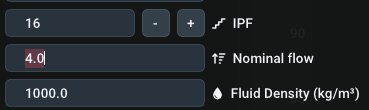
Numeric fields accept decimal values. You can change them by simple text based entry:
Click using Left Button into the field. The field switches to text mode — type your value (decimal separator: .), confirm with Enter, cancel with Esc.

Fields with + and − buttons step the value in fixed increments. Direct text entry works simultaneously — confirm with Enter.
Sliders

Sliders are designed for quick adjustments and work via drag-and-drop.
For an exact value, hold Ctrl and left-click inside the slider field, enter the value, and confirm with Enter or cancel with Esc.
Combo Boxes
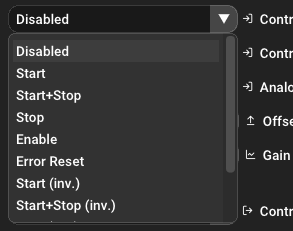
Dropdown fields select from a fixed list of options. A left click opens the list; the selected option is applied immediately.